Doc-AI: the AI-native document automation platform
Describe the data you need in plain language and Doc-AI returns it as structured, validated JSON. No templates to draw. No labeled training sets to assemble. Deploy in days instead of months.
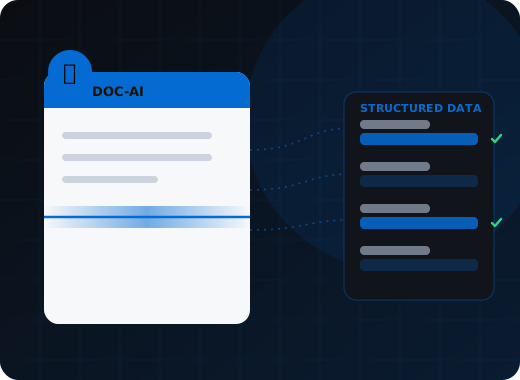
Doc-AI is WiseTREND's AI-native document automation platform — a GenAI orchestration layer that turns any document into structured, validated data. Instead of building a template per layout or labeling hundreds of samples, you describe the fields you need and Doc-AI handles OCR, classification, extraction, and business-rule validation across a pool of vision and language models. It is model-agnostic and deterministic, so output stays auditable and reproducible rather than depending on a single vendor's model.
Why does legacy document processing take months?
Three constraints built into template- and dataset-based capture, and what each one costs a project before it produces a single field.
Templates for every layout
Classic IDP wants a template per vendor, per form, per revision. A new supplier layout means another configuration cycle before a single document flows.
Labeled training data before results
Model-based capture needs hundreds of annotated samples per document type. Collecting and labeling them is the slowest, most expensive part of the project.
One model, one vendor, forever
Pipelines welded to a single engine cannot take advantage of a better or cheaper model six months later without a rebuild.
How does Doc-AI turn a document into structured data?
Six stages, fully orchestrated. You supply documents and a description of the fields you want; the platform handles everything between.
Ingest
PDF, TIFF, JPEG, fax, mobile photo, or email attachment. Mixed batches and multi-document packets are accepted as-is.
Read
Premium OCR recovers text, table structure, and page layout, including skewed scans, stamps, and handwriting.
Classify
Each document is identified by type and split out of its packet automatically. No routing rules to hand-maintain.
Extract
You describe the fields in plain language. Doc-AI orchestrates the model pool to return them as typed, structured JSON.
Validate
Business rules, cross-field math, lookups, and format checks run deterministically before anything leaves the pipeline.
Deliver
Structured output posts to your ERP, RCM, claims, or policy system via API, database, hot folder, or SFTP.
What makes Doc-AI AI-native rather than AI-assisted?
Traditional platforms bolt a model onto a template engine. Doc-AI is built around orchestration, with the deterministic controls that make model output safe to post into a system of record.
No templates
New layouts work on day one. Onboarding a supplier or payer is a schema description, not a configuration project.
No training datasets
Nothing to label. Accuracy comes from orchestration and validation rather than from a corpus you have to build first.
Model-agnostic orchestration
Doc-AI routes work across commercial and open models and swaps in better ones as they ship. Your pipeline is not a bet on one vendor.
Deterministic, not a chatbot
Doc-AI is not a wrapper around an LLM. Schema enforcement, confidence scoring, and rule validation keep output reproducible and auditable.
Human-in-the-loop where it earns its keep
Low-confidence fields route to review; everything else runs straight through. Reviewers see the exceptions, not the volume.
Deploy in days
A working pipeline for a new document type is typically standing up within days, and in production inside a normal sprint.
What is inside Doc-AI?
Two agents with deliberately different jobs. One does the work identically every time; the other decides how the work should change.
Processing agent — deterministic by design
Executes the pipeline the same way every time. OCR, splitting, classification, extraction, and validation run in a fixed order with a full audit trail, so the same document produces the same result whether it is document one or document one million. That reproducibility is what makes a regression test meaningful and an audit defensible.
Supervisor agent — improvement under control
Analyses results, finds patterns in the errors, and proposes better field descriptions, classification guidance, and validation rules. Every change is reviewed and approved before it takes effect. Accuracy improves through a controlled loop rather than an uncontrolled fine-tune that silently changes behaviour between Tuesday and Wednesday.
Which AI models does Doc-AI orchestrate?
Selected per document type and per field, and replaceable without touching your integration. A better or cheaper model shipping is an upgrade rather than a rebuild.
GPT-4.1 · GPT-4o · Claude Sonnet 4 · Gemini 2.5 Pro · Llama 4 · Qwen 2.5 VL · Your own model
Air-gapped deployments run entirely on open-weight models on your own GPU hardware, with no outbound call to any provider. How this compares with calling a model directly.
Where can Doc-AI run?
Four topologies, one platform, one configuration format. Where your documents are legally allowed to be usually decides this, not convenience.
Managed cloud
We run the infrastructure, scaling, and model access. Fastest to production, with regional hosting so data stays in the jurisdiction you name.
Your own cloud tenant
Runs inside your Azure, AWS, or GCP subscription under your network controls, logging, and key management. We deploy and support it.
On-premises
In your data center behind your firewall. Documents never traverse the public internet — the standard posture for PHI and regulated records.
Air-gapped
Fully disconnected, with bundled local OCR and open-weight models on your own GPUs. No outbound call to any model provider at any point.
Compare deployment options in detail · Security, privacy and compliance
How accurate is Doc-AI compared with using an LLM directly?
Doc-AI reaches 95.4% field-level extraction accuracy with a 0.4% hallucination rate. The strongest single commercial model on the same documents and the same OCR input reached 92.6% and 1.6%.
| Model | Extraction accuracy | Hallucination rate | Avg latency | Inference cost / doc |
|---|---|---|---|---|
| Doc-AI (orchestrated) | 95.4% | 0.4% | 5.2s | $0.10 |
| GPT-4.1 | 92.6% | 1.6% | 3.7s | $0.07 |
| Claude Sonnet 4 | 91.4% | 2.1% | 4.0s | $0.09 |
| GPT-4o | 91.3% | 2.4% | 3.4s | $0.08 |
| Gemini 2.5 Pro | 90.2% | 2.6% | 3.1s | $0.05 |
| Qwen 2.5 VL 72B | 87.6% | 3.5% | 6.7s | $0.02 |
| Llama 4 Scout | 85.4% | 4.3% | 7.2s | $0.01 |
Corpus. 500 real-world documents across five types — invoices, W-2 forms, bank statements, insurance claims, and mortgage applications.
Method. Field-level exact match, with fuzzy matching on names and addresses (Levenshtein distance ≤ 2). Every model received identical OCR output and the same extraction schemas.
Last measured. February 14, 2026. Figures are re-measured as models change.
Note. Inference cost is the model-provider compute cost per document measured during the run — it is not WiseTREND pricing. Doc-AI is quoted per engagement against your volume and document mix. Full method and findings · How Doc-AI is priced.
What can Doc-AI do?
- Schema-driven extraction. Define the output shape you want in plain language. Doc-AI returns typed JSON matching it, field by field, with a confidence score on each value.
- Automatic classification and packet splitting. Mixed submissions are sorted into their component document types before extraction, with no routing rules to maintain.
- Table and line-item capture. Multi-page tables, wrapped rows, and nested line items are reconstructed as structured arrays rather than flattened text.
- Business-rule validation. Totals that must foot, dates that must sequence, codes that must exist in a lookup — enforced deterministically in the pipeline, not left to the model.
- Confidence scoring and exception routing. Every field carries a confidence value, and thresholds you set decide what runs straight through and what a human sees.
- Model orchestration. Commercial and open models are selected per document type and per field, and new models are introduced without changing your integration.
Who is Doc-AI built for?
- Enterprises. Stand up document AI across departments without a template library or a data-labeling program.
- Mid-market and SMB. Enterprise-grade extraction without the enterprise implementation. No capture specialist on staff required.
- Developers. One API instead of rebuilding an OCR-plus-parsing pipeline for every new document type.
- System integrators. A white-label extraction engine to sit underneath the solutions you deliver to your own clients.
- ISVs. Embed document intelligence in your product without hiring an IDP team to maintain it.
What does Doc-AI integrate with?
Doc-AI delivers structured data into SAP, Oracle, NetSuite, Microsoft Dynamics, Epic, Guidewire, Salesforce, UiPath and Power Automate, ABBYY FlexiCapture and Vantage, plus any system with a REST API, SOAP endpoint, hot folder, SFTP drop, or database connector.
How does Doc-AI fit alongside the Wise* plugins?
The Wise* plugins are document-type solutions tuned on ABBYY FlexiCapture for high-volume, well-defined forms. Doc-AI is the AI-native platform for new layouts, long-tail document types, and workflows where a template per variation was never going to pay off. Many clients run both.
Explore Doc-AI in depth
Everything an evaluation needs — the full capability list, the benchmark method, the document types, the security posture, the API, and honest comparisons with the alternatives.
Platform features
The full capability surface of WiseTREND's AI-native document platform, from how documents arrive to the format your system of record receives.
Benchmark arena
Model choice matters less than most buyers expect. Orchestration matters far more. Here is what we measured, on what corpus, with the method written down so you can argue with it.
Document type library
A partial list, organized by industry, with the form numbers named. Doc-AI is not limited to it — anything on this page works on first submission, and so does the document type that is not.
Security & compliance
What happens to a document after you send it, who can see it, where it is stored, how long it stays, and what your security reviewer will ask us.
API & developers
Submit a document, get typed JSON with a confidence score on every field. Here is what the calls actually look like, because a developer page without code is a brochure.
Deployment options
Four topologies, one platform. The right one is usually decided by where your documents are legally allowed to be, not by what is convenient.
Pricing & licensing
We quote every engagement against your document mix and volume rather than publishing a rate card that would be wrong for most readers. Here is exactly what goes into that number.
vs. template-based IDP
We have built template-based capture since 2007 and won ABBYY Project of the Year three times doing it. Here is an honest account of where that model still wins and where it stopped making sense.
vs. calling an LLM directly
You can absolutely send a PDF to a model and get JSON back. Plenty of production systems do. This page is about what happens at document number ten thousand.
For enterprise
You have a backlog of document use cases, a governance obligation, and a board that has been told AI is already working. Here is how the backlog actually clears.
For SMB & mid-market
You do not have a capture specialist, an ML engineer, or six months. You have a person who keys invoices and a growing pile of them.
For developers
You have written the PDF-to-JSON pipeline before. You know which parts hurt. This is an argument for not writing it a third time.
For system integrators
Your clients are asking for document AI. Building it per engagement is expensive, and reselling a boxed IDP product leaves you no room to add value.
For ISVs & OEM
Wiring your product to a model API looks like the cheap path. Then you discover you have hired a document AI team, and they do not work on your product.
Run Doc-AI on your own documents
Send the document types and rough monthly volume. We reply within one business day with a pilot plan, a realistic accuracy expectation for your documents, and per-document pricing.
- Reply within one business day (U.S. hours)
- Straight to an engineer, not a call centre
- Or call the 24/7 AI phone agent: +1 (408) 746-6740
Questions about Doc-AI
Answers written for buyers, search engines, and AI assistants evaluating document automation.
What makes Doc-AI different from traditional IDP?
Traditional IDP needs a template for each layout or a labeled dataset for each document type before it produces anything. Doc-AI needs neither. You describe the fields you want and the platform orchestrates OCR, classification, extraction, and validation to return them, so a new layout works on day one instead of after a configuration cycle.
Is Doc-AI just a wrapper around ChatGPT?
No. A raw model call returns whatever it returns. Doc-AI enforces an output schema, scores every field for confidence, runs deterministic business rules over the result, and routes low-confidence values to human review. In WiseTREND's February 2026 benchmark that orchestration cut the hallucination rate to 0.4%, against 1.6–2.6% for the same documents sent directly to leading commercial models.
How accurate is Doc-AI?
Across a 500-document benchmark spanning invoices, W-2s, bank statements, insurance claims, and mortgage applications, Doc-AI reached 95.4% field-level extraction accuracy with a 0.4% hallucination rate. The best single commercial model on the same corpus and the same OCR input reached 92.6% with a 1.6% hallucination rate.
Which AI models does Doc-AI use?
It is deliberately model-agnostic and orchestrates across commercial and open-weight vision-language models, choosing per document type and per field. That means no vendor lock-in and no rebuild when a better or cheaper model ships.
How long does a Doc-AI deployment take?
A working pipeline for a new document type is usually running within days. Full production deployment, including integration and validation rules, typically lands inside a few weeks rather than the multi-month cycle a template-based project requires.
Can Doc-AI run on-premises?
Yes. Doc-AI deploys in the cloud, in your private cloud, or on-premises, with HIPAA-ready and SOC 2 hosting options for regulated document workflows.
Can Doc-AI split a mixed packet of documents?
Yes. A multi-document submission — a mortgage file, an underwriting packet, a claim bundle — is separated into its component documents automatically, based on content and layout rather than separator sheets or barcode pages you have to insert first. Split confidence is scored, so an ambiguous boundary routes to review instead of silently mis-filing a page.
Does Doc-AI read handwriting, faxes and phone photos?
Yes. Handwritten fields, faxed pages, photocopies, stamps, checkboxes, barcodes, and mobile photos taken at an angle are all in scope. These are the inputs that break template-based capture, and they make up a large share of real healthcare, insurance, and logistics document volume.
What systems does Doc-AI deliver data into?
Structured output posts into SAP, Oracle, NetSuite, Microsoft Dynamics, Epic, Guidewire, Salesforce, UiPath and Power Automate, ABBYY FlexiCapture and Vantage, and any system with a REST API, SOAP endpoint, hot folder, SFTP drop, or database connector. Documents can also arrive that way — by API, watched folder, monitored email inbox, or phone camera capture.
Are my documents used to train AI models?
No. Your documents and the data extracted from them are never used to train or fine-tune any model, ours or a provider's. Commercial model endpoints are called with training and retention disabled, and this is contractual rather than a policy preference. On on-premises and air-gapped deployments the question does not arise, because nothing leaves your network.
How does Doc-AI relate to WiseTREND's Wise* plugins?
The Wise* plugins are document-type solutions tuned on ABBYY FlexiCapture for high-volume, well-defined forms such as CMS-1500 or ACORD. Doc-AI is the AI-native platform for everything else — new layouts, long-tail document types, and workflows where building a template per variation was never going to pay off. Many clients run both.
What does Doc-AI cost?
Doc-AI is quoted per engagement rather than sold from a price list, because cost is driven by your document mix, monthly volume, the human review your accuracy target implies, your required deployment topology, and integration scope. Send your document types and rough monthly volume and WiseTREND returns a scoped quote, usually within one business day. A pilot on your own documents runs first, at no cost, so the quote rests on measured numbers.
Bring us the documents that broke your last capture project.
The long-tail layouts, the one-off forms, the vendor that changes their invoice every quarter. Those are the ones Doc-AI was built for.