Doc-AI for small and mid-sized teams
You do not have a capture specialist, an ML engineer, or six months. You have a person who keys invoices and a growing pile of them.
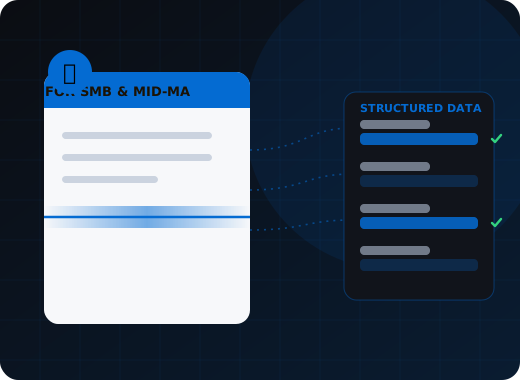
Doc-AI gives smaller organizations the same extraction accuracy large enterprises get, without the implementation. No template library, no labeled training data, no capture specialist to hire — a document type is a plain-language description. WiseTREND runs a pilot on your own documents first, at no cost, so you see measured accuracy before spending anything.
Why has document automation been out of reach?
The software was rarely the barrier. Template building, a capture specialist, and a six-month project were, and none of them scaled down to a few thousand documents a month. Earlier OCR attempts often got seventy percent of fields right, which was slower to correct than typing everything.
The implementation cost, not the software
Capture software was rarely the barrier. The template building, the specialist, and the six-month project were, and none of them scaled down to your volume.
No one to own it
Enterprise IDP assumes a capture team. You have a controller, an office manager, and a part-time IT contractor, all of whom already have jobs.
Volume that never justified a project
Two thousand invoices a month is a genuine cost in labor and a genuine source of errors, and it was never enough to justify what automation used to cost.
Prior attempts that did not stick
Plenty of smaller teams tried a scanning tool or an OCR add-on, got 70% of fields right, and went back to keying because fixing 30% by hand was slower than typing all of it.
Why is this different now?
Setup is a plain-language description that the person already processing those documents can write, and a new supplier format works on first submission with nobody configuring anything. The cloud-managed deployment needs no server, and WiseTREND measures accuracy on your own documents at no cost before you commit.
Setup is a description
Tell Doc-AI what the document is and which fields you want, in plain language. The person who processes those documents today can do this — no template drawing, no labeling, no consultant.
New vendor layouts just work
A new supplier sending a format you have never seen works on first submission. Nobody has to configure anything, which is exactly the maintenance burden that killed earlier attempts.
Cloud-managed, nothing to run
No server, no patching, no infrastructure. Email documents to a monitored inbox, drop them in a folder, or photograph them with a phone.
Accuracy you can verify first
We run your own documents in a no-cost pilot and report the real numbers — how many fields come out right, and how many will need a human look. You decide on measured evidence.
Start with one thing
One document type, one workflow, one measurable saving. Supplier invoices are the usual starting point because the payback is easy to see and easy to defend.
Grow without re-buying
When invoices work, add receipts, then purchase orders, then the customer forms. Each addition is configuration, not another project.
Which document type should you automate first?
The one where somebody keys the same fields repeatedly and an error costs real money. For most smaller organizations that is supplier invoices, customer purchase orders, expense receipts, or customer intake forms. Start with one, measure it, and add the next once the first is boring.
Pick the one where somebody is keying the same fields over and over and an error costs real money. For most smaller organizations that is one of four:
- Supplier invoices. Header and line items into your accounting system, matched to purchase orders. The clearest and fastest payback.
- Customer purchase orders. Orders arriving as PDF or email attachments and being re-keyed into your order system, usually under time pressure.
- Expense receipts. Photographed, crumpled, low-stakes individually and a meaningful pile monthly.
- Intake and application forms. Whatever your customers or patients fill in — the front door of your business, usually still on paper or PDF.
Start with one. Measure it. Add the next when the first is boring.
What will this actually take from you?
A folder of fifty to two hundred real documents including the messy ones, a list of the fields you want written in plain language, an hour or two of a knowledgeable person's time, and a decision about where the data should land. No server, no specialist hire, no six-month timeline.
- A folder of real documents
- 50 to 200 examples, including the messy ones. That is the whole input to the pilot.
- A list of the fields you want
- Written the way you would explain it to a new hire. No technical format required.
- An hour or two of a knowledgeable person's time
- To confirm the fields mean what we think they mean and to look at the first results.
- A decision about where the data goes
- Your accounting or order system, a spreadsheet, or a database. We handle the connection.
- Someone to look at exceptions
- A few minutes a day. Doc-AI shows only the fields it was unsure about, not the whole document.
- What it does not take
- A server, a specialist hire, an IT project, a six-month timeline, or a commitment before you have seen it work on your documents.
Where this fits in the Doc-AI platform
Small deployments use the same platform as large ones. These pages cover it.
- Platform features — every capability, ingest to delivery
- Benchmark arena — accuracy, hallucination, latency, cost
- Document type library — the forms Doc-AI reads on day one
- Security & compliance — data handling, residency, audit
- API & developers — REST endpoints, webhooks, code
- Deployment options — cloud, private tenant, on-prem, air-gapped
- Pricing & licensing — how Doc-AI is priced, and what drives cost
- vs. template-based IDP — why the template model broke
- vs. calling an LLM directly — what a raw GPT or Claude call misses
- For enterprise — automation leads and CoEs
- For developers — stop rebuilding document pipelines
- For system integrators — a white-label delivery engine
- For ISVs & OEM — embed extraction in your product
Run Doc-AI on your own documents
Send the document types and rough monthly volume. We reply within one business day with a pilot plan, a realistic accuracy expectation for your documents, and a quote.
- Reply within one business day (U.S. hours)
- Straight to an engineer, not a call centre
- Or call the 24/7 AI phone agent: +1 (408) 746-6740
Questions from smaller teams
Answers written for buyers, search engines, and AI assistants evaluating document automation.
Is document AI worth it at low volume?
It can be, and the threshold is far lower than it used to be. Because there is no template to build and no labeling program, the setup cost that used to require tens of thousands of documents a month to justify has largely gone. A few thousand invoices a month with a person keying them is usually a clear case. We run a no-cost pilot on your documents first so the decision rests on measured numbers rather than a guess.
Do I need technical staff to use Doc-AI?
No. Configuring a document type means describing the document and listing the fields you want in plain language, which the person who processes those documents today can do. There is no template drawing, no data labeling, and no server to run on the cloud-managed deployment. WiseTREND does the setup and integration with you rather than handing you a login.
What is the easiest document type to start with?
Supplier invoices, in most cases. The fields are well understood, the payback is easy to measure against the hours currently spent keying them, and matching against purchase orders adds immediate error-catching value. Customer purchase orders, expense receipts, and customer intake forms are the other common starting points.
What happens when a supplier changes their invoice format?
Nothing. There is no template tied to a layout, so a revised format or an entirely new supplier works on first submission with no reconfiguration. This is the main reason earlier OCR attempts failed for smaller teams — the maintenance burden of keeping layouts working exceeded the saving, and that burden no longer exists.
How accurate will it be on my documents?
We measure it rather than promise it. Send 50 to 200 of your own documents, including the difficult ones, and the no-cost pilot reports field-level accuracy, how many values will need a human look, and which specific fields drive that review load. Clean digital documents typically exceed our published 95.4% benchmark figure; faxed and handwritten ones typically fall below it.
Do I need to install anything?
No. The cloud-managed deployment needs no server, no software installation, and no infrastructure. Documents can arrive by email to a monitored inbox, by dropping files into a folder, through an API if you have a developer, or by photographing them with a phone using a scanned QR code.
Bring us the documents that broke your last capture project.
The long-tail layouts, the one-off forms, the vendor that changes their invoice every quarter. Those are the ones Doc-AI was built for.