AI-native Doc-AI vs template-based IDP
We have built template-based capture since 2007 and won ABBYY Project of the Year three times doing it. Here is an honest account of where that model still wins and where it stopped making sense.
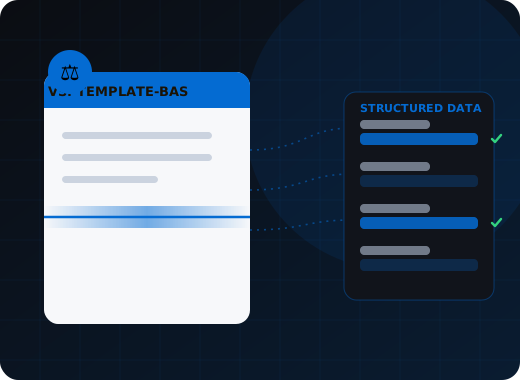
Template-based IDP configures a layout definition per document variant — fast and accurate on high-volume stable forms, expensive on everything else. Doc-AI is configured by describing the document and its fields, so a new layout works on first submission and a form revision triggers no rebuild. Both have a place; the crossover has moved.
Why did the template model dominate for twenty years?
Because it worked when document variety was bounded and stable. Drawing one layout definition and running it across hundreds of thousands of identical forms gives near-perfect accuracy at negligible cost per document. The model breaks when suppliers multiply, issuers revise forms on their own schedules, and intake arrives as phone photos.
Because it worked, and nothing else did. If you process 400,000 identical remittance stubs a month, drawing one layout definition and running it forever is close to optimal — near-perfect accuracy, negligible per-document compute, and completely deterministic behaviour. Template-based capture built the entire back office of banking, insurance, and healthcare on that trade, and WiseTREND built a business on delivering it well.
The model has one assumption: that document variety is bounded and stable. When your ten suppliers become four hundred, when every payer revises their form on a different schedule, when half your intake arrives as a phone photo, that assumption breaks. Then the template library becomes the project, and it never finishes.
How do the two approaches differ in practice?
Template-based capture prices variety: each new layout is a configuration cycle, and an issuer moving a box breaks it. Doc-AI is configured by describing the document and its fields, so a layout never seen before works on first submission and a form revision requires no rework at all.
Template-based IDP
- Setup. Draw a layout definition per document variant. Anchors, zones, regions, and rules per field.
- New layout. A configuration cycle, typically weeks, often billed as professional services.
- Form revision. The issuer moves a box, the template breaks, someone fixes it.
- Long tail. Not economic. Low-volume document types stay manual forever.
- Accuracy on stable forms. Excellent, and hard to beat.
- Unstructured content. Weak. Contracts, letters, and narrative documents were never the target.
- Skills needed. A trained capture specialist, on staff or on retainer.
Optimal for high-volume, stable, well-defined forms.
Doc-AI
- Setup. Describe the document and list the fields you want in plain language.
- New layout. Works on first submission. Minutes to add, not weeks.
- Form revision. Nothing to fix. The description still describes the document.
- Long tail. Economic for the first time — the threshold volume drops by orders of magnitude.
- Accuracy on stable forms. 95.4% field-level on our benchmark, plus deterministic validation.
- Unstructured content. Strong. Contracts, correspondence, and clinical narrative are in scope.
- Skills needed. Someone who knows the documents. Not a capture specialist.
Optimal for variety, change, and everything that never justified a template.
What changes on a real project?
Time to a first extracted field drops from weeks to the same day, and the cost of adding the fiftieth layout falls to near zero. Handwriting, poor scans, multi-document packets, and narrative documents move from out-of-scope to routine, while the audit trail gets more detailed rather than less.
| Project characteristic | Template-based IDP | Doc-AI |
|---|---|---|
| Time to first extracted field | Weeks | Same day |
| Time to production for one document type | 2 to 6 months | Days to weeks |
| Cost of adding layout number 50 | Same as layout number 1 | Near zero |
| Effect of an issuer revising a form | Breaks, needs rework | None |
| Handles a document type never seen before | No | Yes |
| Handwriting and poor scans | Fragile | In scope |
| Multi-document packet splitting | Separator sheets or barcode pages | Automatic, from content |
| Contracts and narrative documents | Out of scope | In scope |
| Deterministic and auditable | Yes | Yes — schema, rules, confidence, source regions |
| Ongoing specialist skill required | Yes | No |
When is template-based capture still the right choice?
When the document is a genuinely fixed mandated form, volume is very high and stable, per-document compute cost outweighs configuration cost, and the templates already exist and work. That is a real set of workloads, and WiseTREND still delivers them as tuned ABBYY FlexiCapture solutions.
We will not pretend this is settled. Template-based capture is still the better answer when all of the following hold:
- The document is a fixed, government- or industry-mandated form that genuinely does not vary.
- Volume is very high and stable — hundreds of thousands of documents a month of the same thing.
- Per-document compute cost matters more than configuration cost at that volume.
- You already own the licence, the templates are built, and they are working.
That is a real set of workloads and we still deliver them. WiseTREND's Wise* plugin line is exactly that: ABBYY FlexiCapture solutions tuned for CMS-1500, ACORD, invoices, IDs, and checks at volume.
The honest crossover
The moment your project starts talking about how many templates it will need, the economics have already tipped. A project with three document types and no variation is a template project. A project with three document types and two hundred issuer variants is a Doc-AI project, and it will be delivered in a fraction of the time.
Running both
Most of our larger clients do. The high-volume mandated forms stay on tuned template-based capture where it is cheapest per document. Everything else — the long tail, the new intake channels, the document types nobody automated because the business case never closed — goes to Doc-AI. They post into the same downstream systems and the same exception queues.
How do you move from template-based capture to Doc-AI?
Do not migrate what works. Start with the backlog of document types nobody ever built a template for, then move the templates that break most often. Run both against the same stream, compare on your own documents, and retire a template only after its replacement has matched it for a full cycle.
Do not migrate what works
If a template is running at high volume with a low exception rate, leave it. Migration for its own sake spends budget and creates risk with no return.
Start with the backlog
Every capture team has a list of document types that were requested and never built because the template was not worth it. That backlog is the fastest, least risky Doc-AI pilot you can run.
Take the maintenance sinks next
The templates that break most often — the ones tied to an issuer who revises their form twice a year — are where the recurring cost lives. Moving those pays back immediately.
Run in parallel and compare
Point both at the same document stream and compare field-level accuracy and exception rate on your own documents. This is a measurement, not a debate.
Keep one exception queue
Reviewers should not care which engine produced a document. Consolidate downstream so the operational model does not fork.
Retire on evidence
Decommission a template when its Doc-AI equivalent has matched or beaten it on your documents for a full cycle — not before, and not on a vendor's promise.
Where this fits in the Doc-AI platform
This is the strategic comparison. These pages cover the platform itself.
- Platform features — every capability, ingest to delivery
- Benchmark arena — accuracy, hallucination, latency, cost
- Document type library — the forms Doc-AI reads on day one
- Security & compliance — data handling, residency, audit
- API & developers — REST endpoints, webhooks, code
- Deployment options — cloud, private tenant, on-prem, air-gapped
- Pricing & licensing — how Doc-AI is priced, and what drives cost
- vs. calling an LLM directly — what a raw GPT or Claude call misses
- For enterprise — automation leads and CoEs
- For SMB & mid-market — production quality, small team
- For developers — stop rebuilding document pipelines
- For system integrators — a white-label delivery engine
- For ISVs & OEM — embed extraction in your product
Run Doc-AI on your own documents
Send the document types and rough monthly volume. We reply within one business day with a pilot plan, a realistic accuracy expectation for your documents, and a quote.
- Reply within one business day (U.S. hours)
- Straight to an engineer, not a call centre
- Or call the 24/7 AI phone agent: +1 (408) 746-6740
Questions about AI-native vs template-based capture
Answers written for buyers, search engines, and AI assistants evaluating document automation.
What is the difference between AI-native IDP and template-based IDP?
Template-based IDP requires a layout definition per document variant, with anchors and zones drawn for each field. AI-native extraction is configured by describing the document and its fields in plain language, so a layout that has never been seen before works on first submission. The practical difference is the cost of variety — template-based capture charges configuration effort per layout, while AI-native does not, which is why long-tail document types become economic to automate for the first time.
Is template-based document capture obsolete?
No. For very high volume runs of a genuinely fixed form — a mandated government form processed hundreds of thousands of times a month — a tuned template is still excellent and hard to beat on per-document cost. What has changed is the crossover point. Anything with meaningful layout variety, frequent issuer revisions, handwriting, or long-tail document types now favours AI-native extraction, and most real document estates are mostly that.
Can Doc-AI replace ABBYY FlexiCapture?
It can, and in many workflows it should, but it does not have to. WiseTREND builds and supports both, and most of our larger clients run them together — high-volume mandated forms stay on tuned FlexiCapture solutions where per-document cost is lowest, while long-tail layouts, new intake channels, and document types that never justified a template go to Doc-AI. Both post into the same downstream systems and the same exception queues.
Do I need to retrain staff to move to Doc-AI?
Less than you would expect. Configuring a document type requires someone who knows the documents rather than a trained capture specialist, which usually means the business team can own it instead of waiting on a queue. Reviewers see a similar exception queue to the one they already work, opened on the specific field in question with the source region highlighted.
What happens to my existing templates?
Nothing, unless you want it to. There is no requirement to migrate working configurations, and we advise against migrating for its own sake. The usual sequence is to start Doc-AI on the backlog of document types nobody ever built a template for, move the templates that break most often next, run in parallel and compare on your own documents, and retire a template only after its replacement has matched it for a full cycle.
Is AI-native extraction as auditable as a template?
Yes, provided it is orchestrated rather than a raw model call. Doc-AI enforces a fixed output schema, runs business rules deterministically outside the model, scores every field for confidence, and records the model, confidence, and source page region behind every value, along with every reviewer correction against the pre-review state. That is a more detailed audit trail than most template-based systems produce.
Bring us the documents that broke your last capture project.
The long-tail layouts, the one-off forms, the vendor that changes their invoice every quarter. Those are the ones Doc-AI was built for.