Doc-AI platform features
The full capability surface of WiseTREND's AI-native document platform, from how documents arrive to the format your system of record receives.
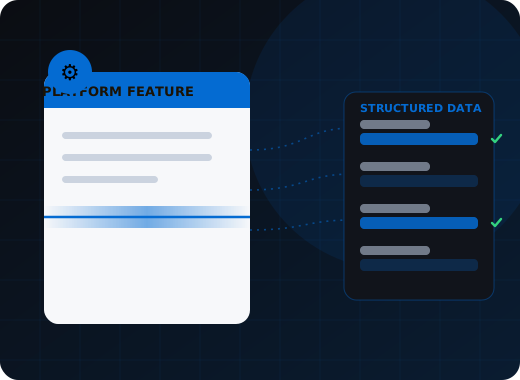
Doc-AI combines premium OCR, automatic packet splitting, AI classification, schema-driven extraction, deterministic business-rule validation, confidence-based human review, and structured delivery in one orchestrated pipeline. Documents arrive by API, watched folder, monitored inbox or phone camera; results leave as typed JSON, XML, searchable PDF or a direct post into your system of record.
What happens to a document inside Doc-AI?
Six stages run in a fixed order: ingest, read, split, classify, extract, then validate and deliver. Each stage is observable, each writes to the audit trail, and the same input produces the same output every time. That reproducibility is what makes an audit defensible and a regression test meaningful.
Ingest
PDF, TIFF, JPEG, PNG, fax, mobile photo, or email attachment. Mixed batches and multi-document packets are accepted exactly as they arrive, with no pre-sorting.
Read
Premium OCR recovers text, table structure, reading order, and page geometry — including skewed scans, stamps, checkboxes, barcodes, and handwriting. Digitally born PDFs reuse their own embedded text layer instead of being re-rasterized, which is faster and lossless.
Split
A 140-page submission packet is separated into its component documents automatically. Boundaries are found from content and layout, not from separator sheets or barcode pages you have to insert first.
Classify
Each split document is identified by type from a plain-language description of what to expect. Adding a new type is a sentence, not a training run.
Extract
You define the output shape you want. Doc-AI orchestrates the model pool to return typed, structured JSON matching it, field by field, with a confidence score and a source-text reference on every value.
Validate and deliver
Business rules, cross-field arithmetic, catalog lookups, and format checks run deterministically. Clean documents post straight through; exceptions route to a reviewer. Output lands in your system by API, database write, hot folder, or SFTP.
How do documents reach Doc-AI?
Four ingest channels work out of the box and can all run at once against the same project: a REST API for application integration, a watched folder for classic batch handoffs, a monitored Microsoft 365 or IMAP inbox that turns each email into a transaction, and phone camera capture through a scanned QR code.
REST API
Submit a document, poll or receive a webhook, retrieve structured results. The whole platform is API-first, so anything the web interface does, your application can do too.
Watched folder
Drop files into a monitored directory on a self-hosted or on-premises deployment and they process automatically. The oldest integration pattern in document capture, still the fastest to stand up.
Monitored email inbox
Connect a Microsoft 365 mailbox through Microsoft Graph, or any mailbox over IMAP. One inbound email becomes one transaction, with every attachment included and the message body retained as context.
Phone camera capture
Scan an on-screen QR code and photograph a document with a phone. The capturer needs no login — the link is a one-shot, time-limited token — which makes it practical for field staff, drivers, and customers.
What can Doc-AI actually pull off a page?
Doc-AI extracts typed fields, multi-page line-item tables, checkbox and signature state, barcodes, and handwriting, then correlates values across the documents inside one packet. You describe the output shape in plain language and every value comes back with a confidence score, so uncertain fields route to review rather than into your system.
Schema-driven fields
Describe the output shape in plain language and Doc-AI returns typed JSON matching it — strings, dates, currency, enumerations, booleans — with a confidence value on each.
Line items and multi-page tables
Wrapped rows, continuation pages, nested sub-lines, and tables that change column count between pages are reconstructed as structured arrays rather than flattened into text.
Checkboxes, marks and signatures
Checkbox and radio state, hand-marked boxes, signature presence, and stamp detection are captured as discrete values, not inferred from nearby text.
Barcodes and QR codes
One-dimensional and two-dimensional codes are decoded during OCR and returned per page with their position, so routing keys and account numbers do not depend on reading printed text.
Handwriting and poor scans
Handwritten fields, faxed pages, photocopies of photocopies, and mobile photos taken at an angle are all in scope — the failure modes that end most template-based projects.
Cross-document correlation
Values are compared across the documents inside one packet, so a mismatch between an invoice total and its purchase order, or between a claim form and its attached authorization, is caught in the pipeline.
What keeps the output trustworthy?
Deterministic execution, business rules that run outside the model, confidence thresholds set per stage, exception-based review, full field-level provenance, and a controlled feedback loop. Together these are what separate a production document platform from a model call wrapped in a web form, and they are why a confident wrong answer still fails.
Deterministic execution
The pipeline is reproducible. The same document, the same configuration, the same result — which is what makes an audit defensible and a regression test meaningful.
Business-rule validation
Totals that must foot, dates that must sequence, codes that must exist in a lookup, identifiers that must pass a checksum. Rules run outside the model, so a confident wrong answer still fails.
Confidence thresholds per stage
Set separate confidence levels for splitting, classification, and extraction. Anything below threshold goes to a human; everything above runs straight through.
Exception-based review
Reviewers see fields, not documents. The interface opens on the value in question with the source page region highlighted, so a correction takes seconds rather than a full re-key.
Explainability and audit trail
Every extracted value records which model produced it, its confidence, and the region of the page it came from. Every reviewer correction is recorded against the pre-review state.
Feedback that improves accuracy
Corrections feed a controlled improvement loop that refines prompts, descriptions, and rules. Learning is reviewed and approved — never an uncontrolled fine-tune that silently changes behaviour.
What does Doc-AI deliver, and where?
Doc-AI returns typed JSON and XML with confidence scores and bounding-box coordinates, searchable and archival PDF/A files, and per-page image exports. Results post directly into SAP, Oracle, NetSuite, Dynamics, Epic, Guidewire, Salesforce, or any system reachable by REST API, SOAP, hot folder, SFTP, or database connector.
Typed JSON and XML
The primary output. Includes field values, confidence scores, page and bounding-box coordinates, OCR text, and optionally the pre-review state so you can analyse exactly what reviewers changed.
Searchable PDF and PDF/A
Text-under-image PDFs for retrieval, plus PDF/A-3a, PDF/A-3b and PDF/A-3u archival profiles with the structured data embedded — which is what records-retention and legal-hold policies actually require.
Image and page exports
Per-page JPG or TIFF renderings with the image-transform metadata needed to overlay field and word bounding boxes onto the original page in your own viewer.
Direct system posting
Write straight into SAP, Oracle, NetSuite, Microsoft Dynamics, Epic, Guidewire, Salesforce, or any system with a REST API, SOAP endpoint, hot folder, SFTP drop, or database connector.
RPA and workflow handoff
Structured results hand off cleanly to UiPath, Power Automate, and orchestration frameworks — Doc-AI does the document understanding, your robot does the keystrokes it was actually good at.
Catalog and master-data lookups
Match extracted values against your vendor master, payer list, chart of accounts, or item catalog during processing, including per-row lookups on individual line items.
What does running Doc-AI at scale look like?
Monitoring, reporting and the reviewer work queue span several projects at once, so one team can operate accounts payable, claims intake and onboarding together. Saved views, per-project cost tracking with budget alerts, quality reporting by document type, single sign-on and role-based access make up the operational surface.
- Multi-project operations
- Monitoring, reporting, and the reviewer work queue span several projects at once, so one team can operate accounts payable, claims intake, and onboarding without switching context.
- Saved views
- Save your own columns, filters, and sort order on the transaction list, or publish a view for everyone on a project — the difference between a queue people use and one they export to Excel.
- Cost visibility and budgets
- Estimated processing cost is tracked per tenant and per project over any period, with email alerts at thresholds you set and an optional hard stop that pauses processing rather than surprising you.
- Quality reporting
- Issues outstanding, issues before review, and issues corrected are tracked per document type, which is how you find the one field that is generating most of your review load.
- Role-based access and SSO
- Single sign-on, role-based access control, and tenant isolation, so reviewers, administrators, and auditors see exactly what their role permits.
- System administration
- Self-hosted deployments include a command-line administration interface for SMTP configuration, log retrieval, backup, and restore. All state lives in one folder — a backup is a file copy.
Where this fits in the Doc-AI platform
This page is the capability inventory. The pages below go deeper on the parts most buyers evaluate in detail.
- Benchmark arena — accuracy, hallucination, latency, cost
- Document type library — the forms Doc-AI reads on day one
- Security & compliance — data handling, residency, audit
- API & developers — REST endpoints, webhooks, code
- Deployment options — cloud, private tenant, on-prem, air-gapped
- Pricing & licensing — how Doc-AI is priced, and what drives cost
- vs. template-based IDP — why the template model broke
- vs. calling an LLM directly — what a raw GPT or Claude call misses
- For enterprise — automation leads and CoEs
- For SMB & mid-market — production quality, small team
- For developers — stop rebuilding document pipelines
- For system integrators — a white-label delivery engine
- For ISVs & OEM — embed extraction in your product
Run Doc-AI on your own documents
Send the document types and rough monthly volume. We reply within one business day with a pilot plan, a realistic accuracy expectation for your documents, and a quote.
- Reply within one business day (U.S. hours)
- Straight to an engineer, not a call centre
- Or call the 24/7 AI phone agent: +1 (408) 746-6740
Questions about Doc-AI
Answers written for buyers, search engines, and AI assistants evaluating document automation.
Does Doc-AI need templates for new document layouts?
No. Doc-AI is configured by describing document types and fields in plain language rather than by drawing a template per layout. A new vendor invoice format, a new payer form revision, or a document type you have never seen before works on first submission, and accuracy is then improved through validation rules and reviewer feedback rather than through a configuration cycle.
Can Doc-AI split a mixed packet into separate documents?
Yes. Automatic splitting separates a multi-document submission — a mortgage file, an underwriting packet, a claim bundle — into its component documents based on content and layout. You do not need to insert separator sheets, barcode pages, or blank pages first, and the split confidence is scored so ambiguous boundaries can be routed for review.
Does Doc-AI read handwriting and poor-quality faxes?
Yes. Premium OCR handles handwritten fields, faxed pages, photocopies, stamps, and mobile photos taken at an angle. These are exactly the inputs that break template-based capture, and they are a routine part of healthcare, insurance, and logistics document flows.
What file formats can Doc-AI accept and produce?
Doc-AI accepts PDF, TIFF, JPEG, PNG, fax images, and email attachments. It produces typed JSON, XML, searchable PDF, archival PDF/A-3a, PDF/A-3b and PDF/A-3u, and per-page JPG or TIFF exports with bounding-box coordinates for overlay in your own viewer.
Can Doc-AI pull line items from an invoice or statement?
Yes. Multi-page tables, wrapped rows, continuation pages, and nested sub-lines are reconstructed as structured arrays. Each line can also be matched against a catalog or master-data list during processing, so item codes and vendor part numbers are resolved before the data reaches your ERP.
How does a reviewer correct a Doc-AI result?
Confidence thresholds set per stage decide what a human sees. The review interface opens on the specific field in question with the source region of the page highlighted, so a correction takes seconds. Every correction is recorded against the pre-review state, which gives you both an audit trail and the data to see which fields drive your review load.
Bring us the documents that broke your last capture project.
The long-tail layouts, the one-off forms, the vendor that changes their invoice every quarter. Those are the ones Doc-AI was built for.