Doc-AI for enterprise automation leads
You have a backlog of document use cases, a governance obligation, and a board that has been told AI is already working. Here is how the backlog actually clears.
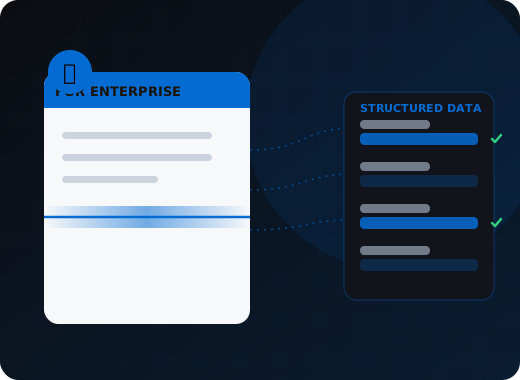
Doc-AI lets an enterprise automation team deliver document use cases in days rather than months, because a new document type is a plain-language description rather than a template build or labeling program. It supplies the governance a CoE is accountable for, and stays model-agnostic so the platform decision is not a bet on one provider.
What is actually blocking the document backlog?
Not appetite. Template-based capture prices every new document type as a project, model-based capture wants a labeling program nobody funded, and RPA stops at the scanned page. Meanwhile risk and audit cannot sign off a raw model call that offers no validation, provenance, or drift detection.
Every use case is a project
Template-based capture prices variety. Each new document type is a configuration cycle, so the backlog grows faster than delivery clears it, and the requests that never get built are quietly reclassified as 'not suitable for automation'.
The labeling program that never started
Model-based capture wants hundreds of annotated samples per document type. Somebody scoped that once, saw the number, and the initiative moved to next year's plan.
RPA that stops at the document
Robots handle the keystrokes beautifully and then hit a scanned invoice. Document understanding is the gap in most automation programs, and it is where the ROI stalls.
Governance has no answer for LLMs
A pilot team wired an API call to a model and it works. Risk and audit will not sign it off, because there is no validation, no provenance, no drift detection, and no answer to 'why did this value post'.
Vendor lock-in as a board risk
Committing the document estate to one model provider is now a business-continuity question as much as a commercial one. Nobody wants to explain that dependency after an outage or a pricing change.
Shadow AI in the business units
Departments are already pasting documents into consumer AI tools because the official path is too slow. That is a data-loss incident waiting for a date, and the fix is a sanctioned path that is faster than the workaround.
How does Doc-AI clear the backlog?
Adding a use case becomes a plain-language description that a business analyst can write, which removes the specialist queue that was the real bottleneck. One deployment serves every department with shared monitoring and one security review, and the governance controls that a sign-off requires are built in rather than bolted on.
A use case is a description
Adding a document type means writing what it is and which fields you want. Business analysts who know the documents can do it, which removes the specialist queue that was the real bottleneck.
One platform, every department
Accounts payable, claims intake, HR onboarding, contract review, and supplier management run as separate projects on one deployment, with shared monitoring, shared review operations, and one security review.
Governance built in, not bolted on
Deterministic rule validation, per-stage confidence thresholds, field-level provenance, complete audit trail, and a controlled improvement loop rather than uncontrolled fine-tuning. This is what a sign-off actually needs.
Model-agnostic by architecture
The platform orchestrates across commercial and open models and swaps them per document type. A provider outage, price change, or policy change is a configuration decision, not a rebuild.
It completes the RPA story
Doc-AI does the document understanding and hands structured, validated data to UiPath, Power Automate, or your orchestration layer. The robots go back to doing what they were good at.
Deployment that satisfies the regulator
On-premises, private tenant, or air-gapped, so PHI, PII, and regulated records never reach a third-party endpoint. For most enterprise reviews, topology settles the question that a certificate cannot.
What does an enterprise rollout look like?
A measured pilot on your own documents in two to four weeks, the first production use case in four to eight, then the backlog itself, where each additional document type is days of configuration rather than a new project. Teams routinely clear two years of backlog in a quarter.
Phase 1 — measured pilot, 2 to 4 weeks
Pick one use case with real volume and real pain. We run 50 to 200 of your own documents at no cost and report measured field-level accuracy, hallucination rate, and straight-through rate. You take a number to your steering group rather than a vendor claim.
Phase 2 — first production use case, 4 to 8 weeks
Integration into the system of record, validation rules against your master data, exception workflow, reviewer training, and the security review completed in parallel rather than afterwards.
Phase 3 — the backlog, continuously
This is where the model pays back. With the platform, integration pattern, and operating model established, each additional document type is days of configuration rather than a new project. Teams routinely clear two years of backlog in a quarter.
Phase 4 — operate
Multi-project monitoring, quality reporting per document type, cost tracking with budget alerts, and a review queue your operations team owns. WiseTREND handles model deprecations, tuning, and support.
What will risk, audit, and security ask for?
Explainability, change control, segregation of duties, named data residency, a commitment that documents are not used for training, and a business-continuity answer. Doc-AI supplies each: field-level provenance, a scored evaluation corpus gating model changes, role-based access through your identity provider, and model-agnostic orchestration so one provider is never a single point of failure.
- Explainability
- Every extracted value records the model that produced it, its confidence score, and the region of the page it was read from. Any number traces back to a pixel.
- Change control
- A scored evaluation corpus per document type means model and configuration changes are tested against known-good results before production, with the delta recorded.
- Segregation of duties
- Role-based access separates configuration, review, administration, and read-only audit, integrated with your identity provider through single sign-on.
- Data residency
- Processing location is named in the agreement — a specific region, your own tenant, or your data center — rather than left to vendor discretion.
- No training on your data
- Contractual, with training and retention disabled on commercial model endpoints, and structurally impossible on on-premises deployments.
- Business continuity
- Model-agnostic orchestration means a single provider's outage or policy change does not stop document processing. That is a materially better answer than most AI dependencies produce.
Where this fits in the Doc-AI platform
Enterprise rollouts touch every part of the platform. Start with these.
- Platform features — every capability, ingest to delivery
- Benchmark arena — accuracy, hallucination, latency, cost
- Document type library — the forms Doc-AI reads on day one
- Security & compliance — data handling, residency, audit
- API & developers — REST endpoints, webhooks, code
- Deployment options — cloud, private tenant, on-prem, air-gapped
- Pricing & licensing — how Doc-AI is priced, and what drives cost
- vs. template-based IDP — why the template model broke
- vs. calling an LLM directly — what a raw GPT or Claude call misses
- For SMB & mid-market — production quality, small team
- For developers — stop rebuilding document pipelines
- For system integrators — a white-label delivery engine
- For ISVs & OEM — embed extraction in your product
Run Doc-AI on your own documents
Send the document types and rough monthly volume. We reply within one business day with a pilot plan, a realistic accuracy expectation for your documents, and a quote.
- Reply within one business day (U.S. hours)
- Straight to an engineer, not a call centre
- Or call the 24/7 AI phone agent: +1 (408) 746-6740
Questions from enterprise automation teams
Answers written for buyers, search engines, and AI assistants evaluating document automation.
How fast can an enterprise deploy a new document use case with Doc-AI?
A working extraction for a new document type is typically running within days, because configuration is a plain-language description of the document and its fields rather than a template build or a labeling program. Full production deployment including system integration, validation rules against your master data, and reviewer training usually lands in four to eight weeks for the first use case, and days for each subsequent one once the integration pattern exists.
How does Doc-AI fit with our existing RPA platform?
Doc-AI handles the document understanding that RPA cannot, and hands structured, validated data to UiPath, Power Automate, or your orchestration layer through an API, database write, or file drop. This is usually where stalled automation programs unblock — the robots were never the problem, the scanned invoice in front of them was.
What governance controls does Doc-AI provide for AI risk?
Deterministic business-rule validation running outside the model, per-stage confidence thresholds routing uncertain values to human review, field-level provenance recording which model produced each value and where on the page it came from, a complete audit trail of extraction and reviewer activity against the pre-review state, a scored evaluation corpus so model changes are tested before production, and a controlled improvement loop rather than uncontrolled fine-tuning.
Are we locked into one AI model provider?
No, and avoiding that is a design goal. Doc-AI orchestrates across commercial and open-weight models and selects per document type, so a provider outage, price change, or terms change is a configuration decision rather than a rebuild. Air-gapped deployments run entirely on open-weight models with no provider dependency at all.
Can Doc-AI run across multiple departments on one deployment?
Yes. Accounts payable, claims intake, HR onboarding, contract review, and supplier management run as separate projects on a single deployment with their own configuration and queues, sharing monitoring, reporting, cost tracking, and one security review. Reviewers can work a queue that spans projects, which is how one operations team supports several business units.
Bring us the documents that broke your last capture project.
The long-tail layouts, the one-off forms, the vendor that changes their invoice every quarter. Those are the ones Doc-AI was built for.