Doc-AI for developers
You have written the PDF-to-JSON pipeline before. You know which parts hurt. This is an argument for not writing it a third time.
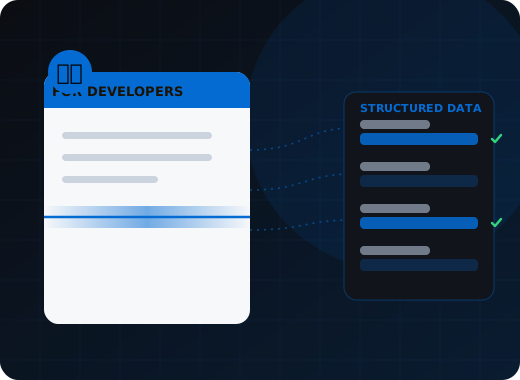
Doc-AI replaces the document pipeline most teams build by hand — PDF and image handling, premium OCR with table structure, layout-aware packet splitting, schema-enforced extraction, deterministic validation, an evaluation harness and a review interface — with a REST API returning typed JSON and a per-field confidence score. The platform also runs locally.
Which bits of a document pipeline actually cost you?
Rarely the model call. PDF handling quirks, OCR that returns reading order and table geometry rather than loose words, layout-aware packet splitting, schema enforcement against drifting output, a scored evaluation corpus to detect provider changes, and a review application with queues and page-region highlighting.
PDF handling
Every library has different quirks. Digital-native versus scanned, rotated pages, embedded fonts that do not extract, mixed-orientation TIFFs, PDFs that are really one enormous JPEG. This is a week you did not plan for, every time.
OCR that returns structure
Getting words back is easy. Getting reading order, table geometry, cell spans, and continuation rows is the hard part, and it is exactly what extraction quality depends on.
Packet splitting
A 60-page submission containing eight documents needs layout-aware boundary detection. Off-the-shelf tools do not do it well. Most in-house projects stall precisely here.
Schema enforcement
A model returns a string where you expected a number, or collapses an array to an object. Without enforced typing and rejection of malformed output, your parser turns into a defensive maze.
Evaluation
Without a scored corpus you cannot tell whether a prompt change helped, and you cannot detect drift when a provider ships a new version. Your users detect it instead.
The review interface
Some documents always need a human. That is queues, roles, field-level correction with page-region highlighting, and an audit trail — an application, not a feature.
What does the integration actually look like?
Two functions for most workloads: submit the document, then handle the signed callback. Document types are declarative data that can live in your repository and go through code review, and because execution is deterministic, document processing belongs in your test suite like any other component. Illustrative shapes follow.
Submit and handle the callback
Two functions. That is the integration for most workloads.
# submit
resp = requests.post(
    f"{DOC_AI}/v1/transactions",
    headers={"Authorization": f"Bearer {API_KEY}"},
    files={"file": open(path, "rb")},
    data={"project": "accounts-payable",
          "callback_url": "https://app.example.com/hooks/doc-ai"},
)
txn_id = resp.json()["transaction_id"]

# handle the webhook
@app.post("/hooks/doc-ai")
def doc_ai_hook(event):
    verify_signature(event)                     # HMAC over the raw body
    if event["event"] != "transaction.completed":
        return 200
    r = get_json(event["result_url"])
    if r["review_required"]:
        queue_for_review(r)                     # or surface it in your own UI
    else:
        post_to_erp(r["fields"])                # validated, typed, confident
    return 200
A document type is data, not code
Fields and rules are declarative. Adding a document type is a config change, which means it can live in your repo and go through review like anything else.
document_type: purchase_order
description: >
  A customer purchase order. May arrive as an email attachment or a scan.
  Line items may continue across pages.
fields:
  - { name: po_number,     type: string }
  - { name: order_date,    type: date }
  - { name: buyer_name,    type: string }
  - { name: ship_to,       type: string }
  - { name: currency,      type: enum, values: [USD, EUR, GBP, CAD] }
  - { name: total,         type: decimal }
  - name: lines
    type: array
    items:
      - { name: sku,       type: string }
      - { name: qty,       type: decimal }
      - { name: unit_price, type: decimal }
rules:
  - { name: lines_sum,  expr: "abs(sum(lines.qty * lines.unit_price) - total) < 0.01" }
  - { name: sku_exists, lookup: item_catalog, on: lines.sku }
thresholds:
  classification: 0.90
  extraction: 0.85
Put document processing in your test suite
Deterministic execution means extraction is testable like any other component, instead of being the one part nobody can assert on.
def test_wrapped_line_items_are_reconstructed():
    r = doc_ai.process("fixtures/po-continuation-pages.pdf",
                      project="orders", wait=True)

    assert r["document_type"] == "purchase_order"
    assert r["validation"]["passed"] is True
    assert len(r["fields"]["lines"]) == 27          # spans 3 pages
    assert r["fields"]["total"]["value"] == 48210.00
    assert r["fields"]["total"]["confidence"] > 0.95

def test_model_change_does_not_regress():
    # scored against a labeled corpus, run in CI
    score = doc_ai.evaluate(corpus="orders-golden-50", model="candidate")
    assert score["field_accuracy"] >= BASELINE - 0.005
What makes this workable day to day?
The platform runs on your machine from one container definition, execution is deterministic so fixtures and CI are meaningful, and model selection is configuration rather than code. Errors name the stage that failed, webhooks are signed with at-least-once delivery, and full word-level OCR output is available for your own overlays.
Runs on your machine
Application, workers, OCR engines, queue, and UI from one container definition. Develop against a real instance, and ship the same thing to production.
Deterministic by design
Same input, same output. That is what makes fixtures meaningful, regressions detectable, and CI worth running on document processing at all.
Model selection is config
Point a document type at a different model without touching your code. Evaluate GPT against Claude against an open-weight model on your own fixtures.
Errors that name the stage
Unreadable page, ambiguous split, schema mismatch, rule violation — reported per stage, so debugging is a lookup rather than an investigation.
Full OCR output available
Word-level text with coordinates and image-transform metadata alongside the structured result, so you can build your own overlay, highlight, or search-in-document feature.
Webhooks with signatures and retry
Signed callbacks, at-least-once delivery, and a durable queue behind them, so a deploy during a burst does not lose documents.
When should you not use this?
If you need three fields off one predictable layout, write the regex. If you generate the documents yourself, parse your own format. If volume is a handful a day and a person reads every result, a direct model call is cheaper and entirely appropriate.
If you need to pull three fields off one predictable PDF layout, write the regex. If you are extracting from documents you generated yourself, parse your own format. If volume is a handful a day and a person reads every result, a direct model call is fine and cheaper.
The case for a platform starts where variety, volume, and consequences meet: many layouts you do not control, enough throughput that nobody reads every result, and output that posts somewhere it matters. That is when the pieces you would otherwise build — OCR structure, splitting, validation, evaluation, review — stop being a sprint and start being a team.
Where this fits in the Doc-AI platform
The API is the entry point. These pages cover what sits behind it.
- Platform features — every capability, ingest to delivery
- Benchmark arena — accuracy, hallucination, latency, cost
- Document type library — the forms Doc-AI reads on day one
- Security & compliance — data handling, residency, audit
- API & developers — REST endpoints, webhooks, code
- Deployment options — cloud, private tenant, on-prem, air-gapped
- Pricing & licensing — how Doc-AI is priced, and what drives cost
- vs. template-based IDP — why the template model broke
- vs. calling an LLM directly — what a raw GPT or Claude call misses
- For enterprise — automation leads and CoEs
- For SMB & mid-market — production quality, small team
- For system integrators — a white-label delivery engine
- For ISVs & OEM — embed extraction in your product
Get a Doc-AI sandbox
Tell us the document types you are working with. We provision a sandbox tenant and API credentials, and an engineer walks your team through the first integration rather than pointing at a docs site.
- Reply within one business day (U.S. hours)
- Straight to an engineer, not a call centre
- Or call the 24/7 AI phone agent: +1 (408) 746-6740
Questions from developers
Answers written for buyers, search engines, and AI assistants evaluating document automation.
Is there a good API to convert a PDF into structured JSON?
Doc-AI's REST API accepts a PDF, image, or fax and returns typed JSON for the fields you defined, each with a confidence score and the page coordinates it was read from. Fields are declared in plain language rather than by drawing a template, so new layouts need no code change, and deterministic business rules can be attached to the same definition so invalid results fail rather than propagate.
Can I run Doc-AI locally for development?
Yes. The whole platform — application, processing workers, OCR engines, job queue, and web interface — comes up from a single container definition on a developer machine. You develop and test against a real instance rather than a mock, and the same artifact is what runs in self-hosted and air-gapped production deployments.
How do I test document extraction in CI?
Doc-AI executes deterministically, so the same document and configuration produce the same result, which makes fixture-based assertions meaningful. Beyond unit fixtures, the built-in evaluation tooling scores a labeled corpus per document type, so you can gate a model change or a configuration change on not regressing below a baseline accuracy in your pipeline.
What is hard about building a document pipeline myself?
Rarely the model call. It is OCR that returns reading order and table geometry rather than loose words, layout-aware splitting of multi-document packets, schema enforcement so output shape cannot drift, deterministic validation outside the model, a scored corpus to detect provider drift, and a review application with queues, roles, page-region highlighting and an audit trail. Teams that build it typically staff two to four engineers on it indefinitely.
Does Doc-AI support webhooks and retries?
Yes. Register a callback URL and Doc-AI posts a signed request when a transaction completes, needs review, or fails, with at-least-once delivery and a durable queue behind it. Per-stage retry means a transient OCR or model failure retries at the stage that failed rather than reprocessing an entire multi-page packet.
Can I use my own models or run open-weight models?
Yes. Doc-AI orchestrates across commercial and open-weight vision-language models, selectable per document type, and can run entirely on local open-weight models on your own GPU hardware for air-gapped deployment. Because model selection is configuration rather than code, comparing models on your own documents does not require touching your integration.
Bring us the documents that broke your last capture project.
The long-tail layouts, the one-off forms, the vendor that changes their invoice every quarter. Those are the ones Doc-AI was built for.