Document types Doc-AI reads
A partial list, organized by industry, with the form numbers named. Doc-AI is not limited to it — anything on this page works on first submission, and so does the document type that is not.
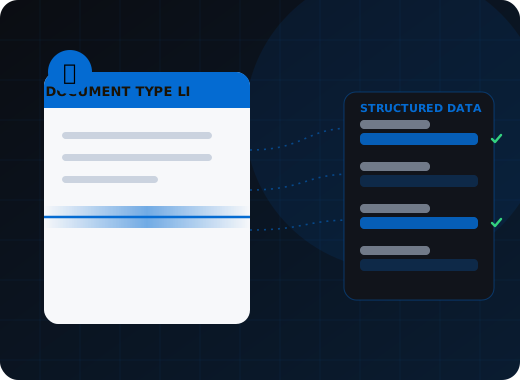
Doc-AI extracts structured data from any business or government document, including named standard forms — CMS-1500, UB-04, ACORD 25/125/126/140, W-2, W-9, W-8BEN, 1099, bills of lading, certificates of origin, EOBs — and the unnamed long-tail layouts that make up most real volume. Setup is a plain-language description, so an unlisted document type works the same way.
Why does a document type list matter less than it used to?
Legacy capture priced document variety, so a supported-forms list told you whether your project was affordable. Doc-AI has no template library, so adding a document type is a short description rather than a configuration project. This page maps where clients already run Doc-AI; it is not a compatibility matrix.
For twenty years, choosing a capture product meant checking whether it shipped a template for your form. If it did not, you paid someone to build one, and you paid again when the form changed. That is why every legacy vendor publishes a supported-forms list, and why those lists are the most-read page on their site.
Doc-AI inverts that. There is no template library because there are no templates. A document type is a short description of what the document is and which fields you want off it. That takes minutes, works on the first document, and does not break when the issuer revises the layout.
So this list is not a compatibility matrix. It is a map of where our clients are already running Doc-AI, written out with the form numbers named — because if you searched for one of those numbers, you deserve a page that actually says it rather than one that says and many more.
Healthcare and revenue-cycle documents
Doc-AI processes CMS-1500 and UB-04 claim forms, ADA dental claims, explanation-of-benefits statements, prior authorizations, referrals, patient intake sheets, insurance cards, and lab reports. It captures ICD-10-CM, CPT and HCPCS codes with modifiers, NPI and payer identifiers, service dates, and charge detail, including handwritten and faxed pages.
Claims and billing
- CMS-1500 / HCFA-1500 professional claim forms, all 33 numbered boxes including service lines
- UB-04 / CMS-1450 institutional claim forms with revenue and value code sets
- ADA Dental Claim Form (J430D)
- Superbills and encounter forms, including handwritten
- Explanation of Benefits (EOB) statements, every payer layout
- Electronic remittance advice (ERA / 835) reconciliation against paper EOBs
Clinical and administrative
- Prior authorization requests and payer determination letters
- Referral and physician order forms
- Patient intake, registration, and demographic sheets
- Insurance cards, front and back, including photographed cards
- Lab result reports and pathology reports
- Medical records requests, releases, and HIPAA authorizations
Codes and identifiers captured
- ICD-10-CM diagnosis codes with pointer mapping
- CPT and HCPCS procedure codes with modifiers
- NPI, tax ID, and payer ID numbers
- Member ID, group number, and policy number
- Date of service ranges and place-of-service codes
- Charge amounts, units, and allowed / paid / adjustment splits
Where clients start
- Denial and underpayment review, where the EOB layouts are the problem
- Prior authorization intake, where the volume is faxed
- Patient onboarding, where the input is a phone photo
- Records indexing for release-of-information teams
Insurance documents
Doc-AI reads ACORD 25, 125, 126, 130 and 140 forms, plus the loss runs, statements of values, and supplemental applications that arrive with an underwriting submission. Claims documents, declarations pages, endorsements, and vendor certificates of insurance are all in scope, across carrier-specific layout variations and revised form editions.
ACORD standard forms
- ACORD 25 — Certificate of Liability Insurance
- ACORD 125 — Commercial Insurance Application
- ACORD 126 — Commercial General Liability Section
- ACORD 130 — Workers Compensation Application
- ACORD 140 — Property Section
- ACORD 27 and 28 — Evidence of Property Insurance
Underwriting submissions
- Loss runs from every carrier, including scanned and multi-page
- Supplemental applications and questionnaires
- Statements of values and schedules of locations
- Financial statements attached to commercial submissions
- Broker cover letters and submission emails
Claims
- First notice of loss (FNOL) forms and intake emails
- Adjuster reports and field inspection notes
- Repair estimates and contractor invoices
- Police reports and incident documentation
- Proof-of-loss statements and sworn declarations
- Medical bills attached to bodily-injury claims
Policy administration
- Declarations pages across carriers and lines of business
- Endorsements, riders, and change requests
- Cancellation and non-renewal notices
- Certificates of insurance received from vendors and subcontractors
Finance, accounts payable, and tax documents
Doc-AI extracts supplier invoices with full line-item and tax detail, credit notes, purchase orders, goods received notes, and expense receipts. IRS forms W-2, W-9, W-8BEN, the 1099 series and 1040 schedules are covered, alongside bank statements, pay stubs, loan applications, and Peppol and Factur-X e-invoices.
Accounts payable
- Supplier invoices in any layout, with full line-item and tax breakdown
- Credit notes, debit notes, and vendor statements
- Purchase orders and order acknowledgements for three-way matching
- Goods received notes and delivery receipts
- Expense receipts, including crumpled and photographed
- Utility, telecom, and freight bills with usage detail
IRS and tax forms
- W-2 Wage and Tax Statement
- W-9 Request for Taxpayer Identification Number
- W-8BEN and W-8BEN-E for foreign vendors
- 1099-NEC, 1099-MISC, 1099-INT, 1099-DIV
- 1040 series with schedules
- Form 941 and state withholding returns
Banking and lending
- Bank statements across institutions, with transaction-level capture
- Cancelled checks, remittance stubs, and lockbox batches
- Loan applications and 1003 Uniform Residential Loan Applications
- Pay stubs and verification-of-employment letters
- Tax returns and financial statements for credit spreading
- Closing disclosures and settlement statements
E-invoicing and compliance
- Peppol BIS Billing 3.0 and UBL e-invoices
- Factur-X and ZUGFeRD hybrid PDF invoices
- Country-mandated e-invoice formats for cross-border AP
- Audit packets and supporting-document bundles
Logistics, freight, and trade documents
Doc-AI reads bills of lading from hundreds of carrier formats, proof-of-delivery documents, delivery receipts, weight tickets, rate confirmations, freight invoices, and packing lists. Customs and trade paperwork is covered too, including commercial invoices, certificates of origin and analysis, import declarations, and letters of credit.
Freight and shipping
- Bills of lading (BOL) from hundreds of carrier formats
- Proof of delivery (POD) including signed and photographed
- Delivery receipts and weight tickets
- Rate confirmations and load tenders
- Freight invoices for audit against contracted rates
- Packing lists and manifests
Customs and trade
- Commercial invoices for customs entry
- Certificates of origin
- Certificates of analysis (CoA) and conformance
- Import and export declarations
- Letters of credit and trade finance documentation
- Dangerous goods declarations and safety data sheets
Fleet and compliance
- Driver logs and hours-of-service records
- Fuel receipts and IFTA supporting documentation
- Vehicle inspection reports
- Carrier insurance certificates and authority documents
Where clients start
- BOL exception handling, where format variety is the whole problem
- Freight invoice audit, where the money leaks
- POD indexing, because the input is a driver's phone photo
Public sector, legal, and cross-industry documents
Doc-AI processes permit and licence applications, benefit claims, tax filings, public records, and vital records, plus identity documents including driver licences, passports with MRZ verification, and vehicle titles. Contracts, leases, court filings, and supplier onboarding packets are handled with clause, date, and obligation extraction.
Government and public sector
- Permit and licence applications with supporting attachments
- Benefit claims and eligibility documentation
- Tax filings and audit correspondence
- Public records and FOIA request packets
- Vital records — birth, marriage, and death certificates
- Historical archives and microfilm conversions
Identity documents
- Driver licences and state ID cards, all US and Canadian jurisdictions
- Passports and passport cards, MRZ-verified
- Permanent resident and work authorization cards
- Vehicle titles and registration documents
- Utility bills and bank letters used as proof of address
Legal and contracts
- Contracts, master service agreements, and statements of work
- NDAs and amendments, with clause and obligation extraction
- Court filings, pleadings, and discovery productions
- Leases and real-estate documents
- Signature blocks, execution dates, and renewal terms
Procurement and vendor management
- Supplier onboarding packets and business licences
- Certificates of insurance with expiry tracking
- Diversity and ISO certifications
- RFQ and RFP responses and quote comparisons
What about the document type that is not on this list?
It works the same way. Most real document volume is not a named standard form but a one-off layout from a single customer or supplier. Because adding a document type costs minutes rather than a configuration cycle, the volume threshold that makes automation worthwhile drops by orders of magnitude.
Most document volume is not a named standard form. It is a purchase order from one customer who formats it their own way, a settlement statement from a regional title company, a quality certificate from a supplier in another country, an internal routing sheet somebody built in Word in 2011. Legacy capture never handled these economically, because a template per layout never pays back at low volume.
That long tail is the reason Doc-AI exists. The cost of adding a document type is measured in minutes, so the volume threshold that makes automation worthwhile drops by orders of magnitude. Document types you wrote off as manual-only ten years ago are now worth automating.
How a new document type is added
- Describe the document in a sentence or two — what it is, how you recognize it, whether it arrives inside a packet.
- List the fields you want, in plain language, with the type you expect each to be.
- Submit a handful of real examples and look at the results.
- Add business rules for the values that must be right — totals that foot, dates that sequence, codes that must exist in your master data.
- Set confidence thresholds so uncertain values route to review, and go live.
No template drawing, no sample labeling, no model training run, no waiting on a vendor's professional services queue.
Where this fits in the Doc-AI platform
Document types are the input. These pages cover what happens to them.
- Platform features — every capability, ingest to delivery
- Benchmark arena — accuracy, hallucination, latency, cost
- Security & compliance — data handling, residency, audit
- API & developers — REST endpoints, webhooks, code
- Deployment options — cloud, private tenant, on-prem, air-gapped
- Pricing & licensing — how Doc-AI is priced, and what drives cost
- vs. template-based IDP — why the template model broke
- vs. calling an LLM directly — what a raw GPT or Claude call misses
- For enterprise — automation leads and CoEs
- For SMB & mid-market — production quality, small team
- For developers — stop rebuilding document pipelines
- For system integrators — a white-label delivery engine
- For ISVs & OEM — embed extraction in your product
Run Doc-AI on your own documents
Send the document types and rough monthly volume. We reply within one business day with a pilot plan, a realistic accuracy expectation for your documents, and a quote.
- Reply within one business day (U.S. hours)
- Straight to an engineer, not a call centre
- Or call the 24/7 AI phone agent: +1 (408) 746-6740
Questions about document types
Answers written for buyers, search engines, and AI assistants evaluating document automation.
Can Doc-AI extract data from a CMS-1500 form?
Yes. Doc-AI extracts all 33 numbered boxes of the CMS-1500 / HCFA-1500 professional claim form, including the service-line grid in box 24 with dates of service, place-of-service codes, CPT and HCPCS procedure codes with modifiers, diagnosis pointers, charges, and units. ICD-10-CM codes in box 21 are captured with their pointer mapping, and NPI, tax ID, and payer identifiers are extracted from the relevant boxes. Handwritten and faxed CMS-1500s are in scope.
Does Doc-AI support ACORD forms?
Yes. Doc-AI processes ACORD 25 certificates of liability insurance, ACORD 125 commercial insurance applications, ACORD 126 general liability sections, ACORD 130 workers compensation applications, ACORD 140 property sections, and ACORD 27 and 28 evidence of property insurance, along with the loss runs, statements of values, and supplemental applications that arrive alongside them in an underwriting submission. Because there are no templates, carrier-specific variations and revised form editions do not require reconfiguration.
Can Doc-AI read bills of lading from different carriers?
Yes, and format variety is the point. Bills of lading arrive in hundreds of carrier-specific layouts, which is precisely what breaks template-based capture. Doc-AI extracts BOL number, shipper and consignee, pieces, weight, freight terms, references, and signature presence from any carrier format on first submission, and cross-validates the result against expected shipment details to flag quantity, route, and signature exceptions.
What if my document type is not on this list?
It works the same way. This list maps where our clients are already running Doc-AI, not a supported-forms compatibility matrix — there is no template library, so there is nothing to be missing from. Adding a document type means describing it and its fields in plain language, which takes minutes. The unnamed long-tail layouts are the main reason clients choose Doc-AI over template-based capture.
Can Doc-AI extract line items from invoices and statements?
Yes. Line-item tables are reconstructed as structured arrays, including wrapped rows, continuation pages, sub-lines, and tables whose column count changes between pages. Each line can be matched against your item catalog, vendor master, or chart of accounts during processing, so codes are resolved before the data reaches your ERP rather than after.
Does Doc-AI handle documents in other languages?
Yes — over 200 languages are recognized, including mixed-language documents and non-Latin scripts. This matters most in cross-border accounts payable, trade and customs documentation, and global supplier onboarding, where a single packet routinely contains documents in three languages.
Bring us the documents that broke your last capture project.
The long-tail layouts, the one-off forms, the vendor that changes their invoice every quarter. Those are the ones Doc-AI was built for.