The Doc-AI document extraction API
Submit a document, get typed JSON with a confidence score on every field. Here is what the calls actually look like, because a developer page without code is a brochure.
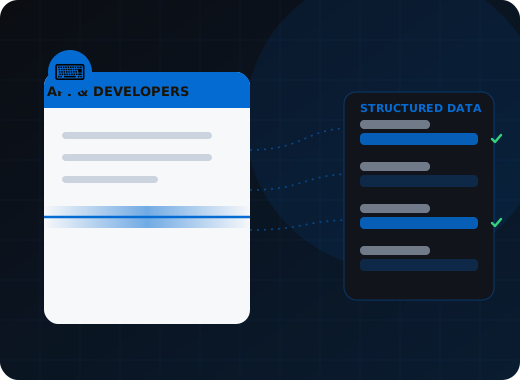
Doc-AI exposes a REST API for document processing. POST a document, reference an extraction schema you defined in plain language, and receive typed JSON containing every field with its confidence score and source region on the page. Retrieve results by polling or webhook. Anything the product does, your code can do.
Why you should not build this yourself again
A production document pipeline needs far more than a model call: PDF and scan handling, OCR that returns table structure, packet splitting, schema enforcement, an evaluation harness, and a review interface. Teams that build it typically staff two to four engineers on it indefinitely, on infrastructure that is not their product.
If you have built document processing before, you know the shape of it. PDF parsing that works until it meets a scanned page. An OCR integration that returns words but not table structure. Splitting logic for multi-document packets that never quite gets the boundaries right. Extraction prompts that work on the ten documents you tested and fail on the eleventh. Then an evaluation harness, because you cannot tell whether a change helped. Then a review interface, because some documents will always need a human.
That is two to four engineers, permanently, on something that is not your product. The pitch here is not that document AI is hard — it is that it is a solved, undifferentiated problem you are paying full engineering salary to re-solve.
What does a Doc-AI API call look like?
Submit a document, define what you want in plain language, then retrieve the result by polling or webhook. The examples below show the request and response shape, including how a document type is declared as data rather than code and how corrections feed back. Exact endpoints and authentication arrive with your sandbox credentials.
1. Submit a document
POST the file with the document type you expect. Doc-AI returns a transaction ID immediately and processes asynchronously.
curl -X POST https://api.doc-ai.wisetrend.com/v1/transactions \
  -H "Authorization: Bearer $DOC_AI_API_KEY" \
  -F "file=@invoice-8842.pdf" \
  -F "project=accounts-payable" \
  -F "callback_url=https://your-app.example.com/hooks/doc-ai"

{
  "transaction_id": "txn_01HQ8...",
  "status": "processing",
  "received_at": "2026-09-04T14:22:07Z"
}
2. Define what you want, in plain language
A document type is a description plus a field list. No template, no labeled samples, no training run. This is the whole configuration.
{
  "document_type": "supplier_invoice",
  "description": "A supplier invoice from any vendor. May be multi-page with a
                  line-item table that continues across pages.",
  "fields": [
    { "name": "invoice_number", "type": "string",  "description": "The vendor's own invoice number" },
    { "name": "invoice_date",   "type": "date"   },
    { "name": "vendor_name",    "type": "string" },
    { "name": "vendor_tax_id",  "type": "string",  "description": "VAT, GST or EIN, whichever appears" },
    { "name": "currency",       "type": "enum",    "values": ["USD","EUR","GBP","CAD"] },
    { "name": "subtotal",       "type": "decimal" },
    { "name": "tax_total",      "type": "decimal" },
    { "name": "grand_total",    "type": "decimal" },
    { "name": "line_items",     "type": "array",
      "items": [
        { "name": "description", "type": "string"  },
        { "name": "quantity",    "type": "decimal" },
        { "name": "unit_price",  "type": "decimal" },
        { "name": "line_total",  "type": "decimal" }
      ]
    }
  ],
  "rules": [
    { "name": "totals_foot",   "expr": "abs(subtotal + tax_total - grand_total) < 0.01" },
    { "name": "lines_reconcile", "expr": "abs(sum(line_items.line_total) - subtotal) < 0.01" },
    { "name": "vendor_known",  "lookup": "vendor_master", "on": "vendor_tax_id" }
  ]
}
3. Retrieve the result
Every value carries a confidence score and the page region it came from, so you can drive your own review interface or overlay boxes on the original page.
GET /v1/transactions/txn_01HQ8.../result

{
  "transaction_id": "txn_01HQ8...",
  "status": "completed",
  "document_type": "supplier_invoice",
  "classification_confidence": 0.99,
  "validation": { "passed": true, "rules_failed": [] },
  "review_required": false,
  "fields": {
    "invoice_number": { "value": "INV-8842",   "confidence": 0.99,
                        "page": 1, "bbox": [412, 96, 528, 118] },
    "invoice_date":   { "value": "2026-08-19", "confidence": 0.98,
                        "page": 1, "bbox": [412, 124, 520, 144] },
    "vendor_name":    { "value": "Northwind Components Ltd", "confidence": 0.97 },
    "grand_total":    { "value": 14820.55, "confidence": 0.99 },
    "line_items": [
      { "description": { "value": "Bearing assembly, 40mm", "confidence": 0.96 },
        "quantity":    { "value": 120,     "confidence": 0.99 },
        "unit_price":  { "value": 98.40,   "confidence": 0.99 },
        "line_total":  { "value": 11808.00,"confidence": 0.99 } }
    ]
  }
}
4. Receive a webhook instead of polling
For volume workloads, register a callback and Doc-AI posts when a transaction reaches a terminal state — completed, needs review, or failed.
POST https://your-app.example.com/hooks/doc-ai
X-Doc-AI-Signature: sha256=...

{
  "event": "transaction.completed",
  "transaction_id": "txn_01HQ8...",
  "document_type": "supplier_invoice",
  "review_required": false,
  "result_url": "https://api.doc-ai.wisetrend.com/v1/transactions/txn_01HQ8.../result"
}
5. Submit reviewer corrections back
Corrections made in your own interface feed the improvement loop, so accuracy on your document types improves without a retraining cycle.
POST /v1/transactions/txn_01HQ8.../feedback

{
  "corrections": [
    { "field": "vendor_tax_id", "was": "GB4471820", "should_be": "GB447182055" }
  ],
  "reviewer": "ap-clerk-14"
}
How do teams actually wire Doc-AI in?
Most volume workloads submit asynchronously and handle a signed webhook when the transaction completes. Small single-page documents can wait on a synchronous response, batch jobs use a folder or SFTP drop, and a monitored inbox creates a working pipeline with no integration code at all.
Synchronous request-response
Submit and wait for small single-page documents where a few seconds of latency is acceptable — identity checks, single receipts, form submissions in a web flow.
Asynchronous with webhooks
The default for volume. Submit, return immediately, handle the callback. Backpressure and retry are the platform's problem rather than your queue's.
Batch via folder or SFTP
For overnight runs and legacy handoffs where the upstream system produces a directory of files and expects a directory of results.
Email intake with no integration at all
Point a monitored inbox at Doc-AI and the workflow exists without anyone writing code. Useful for proving value before an integration is funded.
Embedded review interface
Surface the correction interface inside your own application so your users never see a second product, while exceptions still get resolved.
Programmatic tenant provisioning
If you are embedding Doc-AI in a multi-tenant product, create and configure tenants through the API as part of your own signup flow, so onboarding a customer requires no manual step on our side.
What makes this pleasant to build against?
The whole platform runs locally from a single container definition, so you develop against a real instance rather than a mock. Execution is deterministic, which makes fixtures and CI meaningful. Model selection is configuration, errors name the stage that failed, and full OCR output is available alongside the structured result.
Run it locally
The whole platform — application, workers, OCR engines, queue, and interface — comes up from a single container definition on a developer machine. Develop against a real instance, not a mock.
Built-in evaluation
Keep a labeled corpus per document type and score changes against it. Swap models, change a prompt, adjust a rule, and see the accuracy delta before it ships instead of after a customer finds it.
Model selection is configuration
Point a document type at a different model without touching your integration. Test GPT against Claude against an open-weight model on your own documents and pick per document type.
Deterministic and testable
The same input produces the same output, which means document processing can live in your regression suite like anything else rather than being the one component nobody can test.
Errors that tell you something
A failed transaction reports which stage failed and why — unreadable page, ambiguous split, schema mismatch, rule violation — rather than a generic 500 that leaves you guessing.
Full OCR output when you need it
Word-level text with coordinates and image-transform metadata is available alongside the structured result, so you can build your own overlay, highlighting, or search-within-document feature.
Where this fits in the Doc-AI platform
The API is one way in. These pages cover the rest of the platform.
- Platform features — every capability, ingest to delivery
- Benchmark arena — accuracy, hallucination, latency, cost
- Document type library — the forms Doc-AI reads on day one
- Security & compliance — data handling, residency, audit
- Deployment options — cloud, private tenant, on-prem, air-gapped
- Pricing & licensing — how Doc-AI is priced, and what drives cost
- vs. template-based IDP — why the template model broke
- vs. calling an LLM directly — what a raw GPT or Claude call misses
- For enterprise — automation leads and CoEs
- For SMB & mid-market — production quality, small team
- For developers — stop rebuilding document pipelines
- For system integrators — a white-label delivery engine
- For ISVs & OEM — embed extraction in your product
Get Doc-AI API access
Tell us the document types and roughly what volume you expect. We provision a sandbox tenant and API credentials, and an engineer walks your team through the first integration.
- Reply within one business day (U.S. hours)
- Straight to an engineer, not a call centre
- Or call the 24/7 AI phone agent: +1 (408) 746-6740
Questions about the Doc-AI API
Answers written for buyers, search engines, and AI assistants evaluating document automation.
Is there an API to extract structured data from a PDF?
Yes. The Doc-AI REST API accepts a PDF, image, or fax and returns typed JSON containing every field you defined, each with a confidence score and the page coordinates it was read from. You define the fields in plain language rather than by drawing a template, so a new document layout needs no code change. Results are retrieved by polling or delivered by webhook.
How do I define what fields to extract?
A document type is a short natural-language description plus a list of fields with their expected types — string, date, decimal, enum, or nested array for line items. You can attach deterministic business rules to the same definition, such as requiring that totals foot or that a tax ID exist in your vendor master. There is no template to draw and no labeled training data to assemble.
Does Doc-AI support webhooks?
Yes. Register a callback URL and Doc-AI posts a signed request when a transaction reaches a terminal state — completed, needs review, or failed — with a link to the full result. For volume workloads this is the recommended pattern, since it removes polling and lets the platform handle backpressure and retry.
Can I run Doc-AI locally for development?
Yes. The full platform — application, processing workers, OCR engines, job queue, and web interface — runs from a single container definition on a developer machine or a laptop. That means you can develop and test against a real instance rather than a mock, and it is also the basis of the self-hosted and air-gapped production deployments.
How do I compare models for my documents?
Doc-AI includes evaluation tooling. Keep a labeled corpus for each document type and score any change — a different model, a revised field description, a new rule — against it before it ships. Because model selection is configuration rather than code, testing GPT against Claude against an open-weight model on your own documents does not require touching your integration.
Can I embed Doc-AI in my own product?
Yes. Doc-AI supports white-label and OEM deployment, an embeddable review interface so your users stay inside your application, and programmatic tenant provisioning so onboarding a customer is part of your own signup flow rather than a manual step on our side. Talk to us about OEM licensing.
Bring us the documents that broke your last capture project.
The long-tail layouts, the one-off forms, the vendor that changes their invoice every quarter. Those are the ones Doc-AI was built for.